
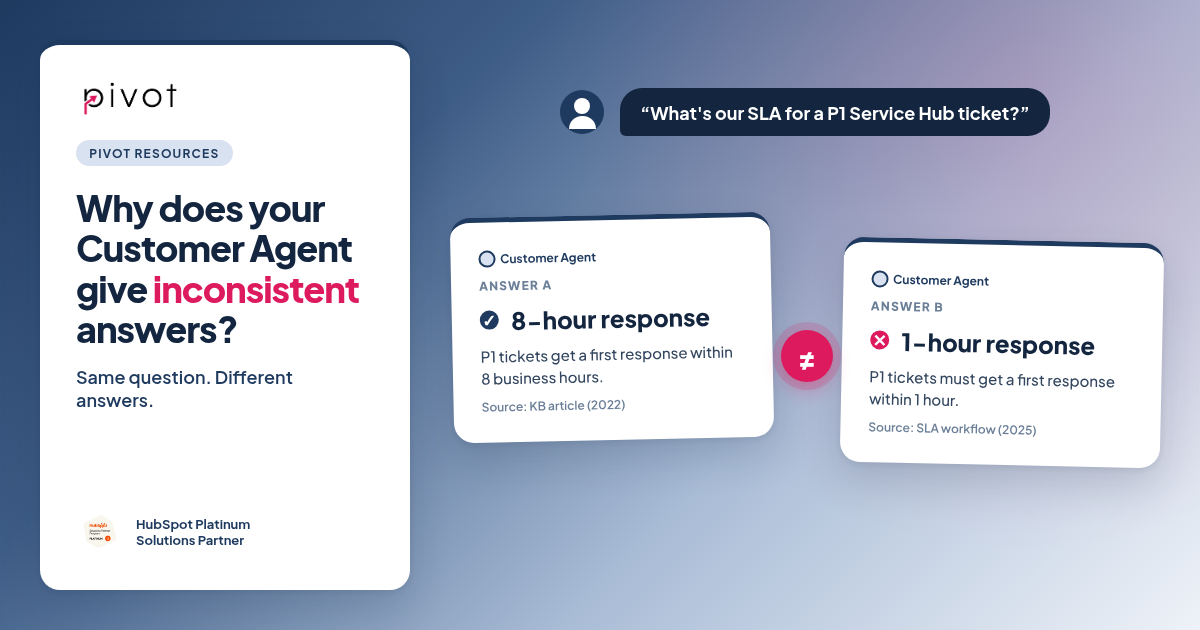
A customer opens chat and asks, "What's our SLA for a P1 ticket?" Your Customer Agent says the first response comes within 8 business hours. An hour later, another customer on the same plan asks the same thing and hears one hour. Both answers came from your HubSpot portal. One came from a knowledge base article written in 2022. The other came from the SLA workflow your service team rebuilt in 2025.
Nothing is wrong with the agent. It found two sources that both looked correct, and it picked a different one each time.
That's the pattern behind almost every "the AI is inconsistent" conversation we have. The agent does exactly what it was set up to do. The problem is what it was given to work with. Here's how we diagnose it at Pivot and what we fix first.
Why does a HubSpot Customer Agent answer the same question differently?
In our experience, inconsistent answers come from one of five places:
- Conflicting knowledge. Your SLA lives in a knowledge base article, a PDF on your site and the SLA settings and workflows in Service Hub, and each one says something slightly different. The agent picks whichever source matches the wording of the question best, so small changes in how a customer asks lead to different answers.
- Stale knowledge. The agent launched with good content, then you changed your support tiers, refund policy or portal login process and nobody updated the articles. This is the most common problem we're called in to fix.
- Messy CRM data. When the agent personalizes an answer using contact, company or ticket properties, it trusts what's there. If "Support Plan" has four versions of "Premium", ticket priority is set one way by email and another way by forms, or lifecycle stages mean different things to sales and service, the answers will vary with them.
- Vague instructions. "Be helpful and answer questions about our services" leaves the agent to guess where its job ends. Clear scope, tone and "never say" rules make it far more predictable.
- Unclear handoff rules. If nothing says when to hand a conversation to your help desk inbox, the agent will try to answer things it shouldn't, like refund exceptions, contract changes or an angry customer whose P1 ticket is already overdue.
Only one of those is about the agent's settings. The other four are about your content and your CRM data.
Does it get worse across chat, email, voice and social?
It can. Customer Agent now works across chat, email, voice and social, and HubSpot announced Customer Agent Voice and a Knowledge Base Agent at its fall event, both in public beta (see HubSpot's Spotlight page for current status). More channels mean more places for one weak source to show up.
Each channel also changes how people ask. On chat, a customer types "status of ticket 4821?" By email, the same customer writes three paragraphs about a P1 issue, asks about their SLA and mentions they can't log in to the customer portal. On the phone, they ramble. If your knowledge only answers the short, tidy version of a question, the answers will drift on the messier channels.
Our advice: get one channel answering consistently before you switch on the next, and test each new channel with the real, messy questions your team already sees in the help desk.
How do you find out what's causing it?
Before we change anything, we run the same check with every client:
- Pull 20 to 30 real conversations from the inbox where the answer was wrong, different from last time, or handed off when it shouldn't have been.
- Trace each answer to its source. Which knowledge base article, page or ticket property did the agent use? In the SLA example, the trail leads straight to a 2022 article nobody retired. Most of the time, the same two or three sources sit behind most of the bad answers.
- Ask the same question five ways. Short, long, misspelled, angry and with a second question added. "What's my SLA?" and "We're on Premium, how fast will you respond to an outage?" should get the same answer. If they don't, it's usually the knowledge. If the answers are consistently wrong, it's usually the data or the instructions.
- Check what changed recently. New support tiers, a pipeline rebuild, a policy update or a migration often lines up with when the answers started to slip.
What should you fix first?
In this order, because each step makes the next one easier:
- Knowledge: one source per answer. Merge or retire duplicate articles so every policy, from SLAs to refunds, lives in one place with an owner and a review date. If your SLA is set in Service Hub, the article should match it word for word. If a question affects revenue or risk, it should have exactly one approved answer.
- Data: clean the properties the agent reads. Standardize ticket priority, support plan, lifecycle stage and any property that drives personalization or routing. We cover how in our HubSpot agent readiness checklist and How to Clean Up a Messy HubSpot Portal.
- Instructions: write the job description. What the agent covers (ticket status, SLAs, portal access, how-to questions), what it never answers, how it should sound and what to say when it isn't sure.
- Handoff: decide where a person takes over. Refund exceptions, contract questions, overdue P1 tickets and anything outside the knowledge base should go to your team in the inbox, with the conversation logged on the ticket so nobody has to ask the customer again.
One client came to us with conflicting workflows and inconsistent data producing unreliable AI answers. We consolidated their workflows by 29%, standardized lifecycle stages and restructured the data, so the Customer Agent and Breeze Assistant worked correctly from day one.
Who should own the agent after launch?
Someone has to, by name. An agent isn't a project you finish. SLAs change, plans change, and customers find new ways to ask. We recommend:
- a monthly review of a sample of conversations, including ones the agent closed without a handoff
- a change trigger: any time an SLA, support tier, refund policy or workflow changes in HubSpot, the related articles get updated the same week
- a simple scorecard your support lead can read in five minutes: resolution rate, handoff rate and the top questions it got wrong
When is a standard Customer Agent not enough?
A standard Customer Agent looks up answers in your knowledge base. That works well for most questions. It struggles when the right answer depends on reasoning through a policy against a specific customer's records, like which SLA applies to a company with a custom contract, whether a renewal date qualifies for a refund, or what a multi-site customer is entitled to. That last one comes up often with our AV and integration clients, where one account can have several service agreements.
For those cases, we build custom Customer Agents that keep HubSpot's chat and inbox as the front end but send the hard questions to Claude. It works through your policies and the customer's CRM records step by step before answering, and hands off to a person when it should. We also build agents that work behind the scenes. For one client handling 400+ tickets a month, an agent that classifies and routes each ticket took routing accuracy from 72% to 94%. We wrote more about this approach in Designing Breeze AI on a Real HubSpot Backbone.
Remember that Customer Agent needs Service Hub Professional or Enterprise. If you're weighing an upgrade for AI, start with Breeze Assistant vs. Agent Hub vs. Agent Builder.
When should you bring in a HubSpot partner?
We'd suggest outside help if:
- your Customer Agent's answers have drifted and you can't tell why
- your SLAs, pipelines or support tiers have changed and your knowledge base hasn't kept up
- you're about to turn on voice, email or social and want the basics right first
- the questions that matter most need more reasoning than a knowledge base lookup
Pivot has been a HubSpot partner since 2014 and is a Platinum Solutions Partner. Our HubSpot AI enablement work includes knowledge base audits, Customer Agent setup and custom agents, and our free, read-only HubSpot portal audit shows you the data issues to fix first. If your agent is giving answers you wouldn't, talk to us.