
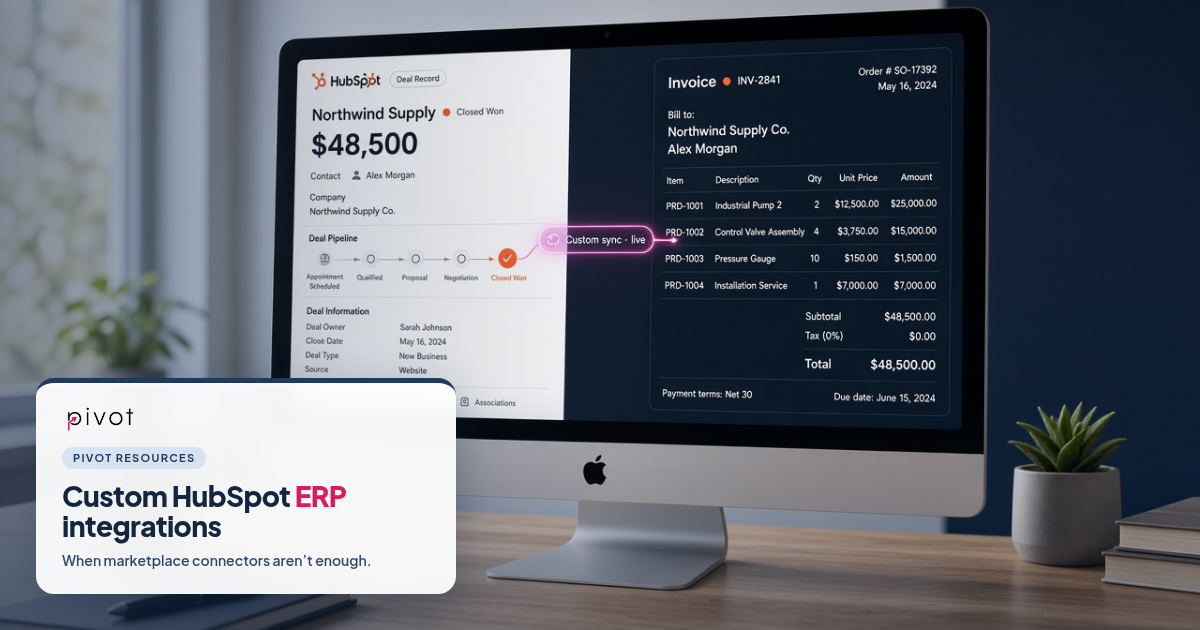
You open HubSpot's App Marketplace looking for your ERP. NetSuite has options. QuickBooks has options. Your industry ERP, the one that runs orders, inventory and invoices, has nothing. Or it has a thin connector that syncs contacts one way and ignores the fields your reports need.
That gap is where most mid-market and enterprise HubSpot teams get stuck. Marketing and sales live in HubSpot. Finance and operations live in the ERP. Without a real sync, every quote, order and invoice is a manual copy, and every dashboard is a negotiation.
A custom HubSpot ERP integration closes that gap when a native connector doesn't exist, or when the marketplace app can't carry your data model. Here's how we decide when custom is the right path, what to design before anyone writes code, and how Pivot builds and runs those connections.
When does a native HubSpot connector fall short?
Start with the marketplace. A well-mapped native connector or HubSpot Data Hub sync is often enough for contacts, companies and a handful of deal fields. We install those, map the fields and test them as a standard connector path when they fit.
Custom HubSpot integration development becomes the right call when one or more of these show up:
- No connector for your ERP. Many industry and legacy ERPs simply aren't in the marketplace.
- The connector can't carry your objects. Jobs, assets, warranties, subsidiaries, bill-to and ship-to accounts, or custom product structures don't map cleanly to HubSpot companies, contacts and deals.
- You need two-way sync with clear ownership. Thin connectors often push one direction and let both systems overwrite the same fields.
- Volume or edge cases break the Zapier chain. A stack of Zaps held together overnight is not an ERP integration. Limits, silent failures and undocumented steps show up as wrong forecasts.
- Reporting has to match Finance. If deal amounts in HubSpot and invoices in the ERP never line up, the sync design is the problem, not the dashboard.
We've written about that last point in detail: why custom CRM integrations break HubSpot reporting. This post is the other half of the story: what to build when native connector alternatives aren't enough.
What does a custom HubSpot↔ERP integration actually include?
At Pivot, a custom ERP integration is not a single API script. It usually covers:
- A shared data model. Which ERP entities map to HubSpot companies, contacts, deals, products, line items or custom objects, and how associations work.
- A field ownership matrix. For every shared field, which system is the source of truth, which direction it syncs, and whether the other system can ever overwrite it.
- A matching key. An ERP customer ID or similar unique identifier stored in both systems so records match reliably. Names and domains alone create duplicates.
- Sync design. One-way or two-way, real-time or scheduled, triggers, retries and what happens when a picklist value doesn't exist on the other side.
- Error handling and monitoring. Failures that alert someone beat failures that sit quiet for three weeks.
- Custom cards or coded workflow actions when needed. Live ERP data on the HubSpot record without copying everything, or workflow steps that call the ERP when a deal changes.
We connect HubSpot to NetSuite and QuickBooks often, and we also build for other ERPs and systems only your team uses. We connect the ERP to HubSpot. We do not implement the ERP itself. Your ERP partner still owns that side.
How do you scope a custom HubSpot ERP integration without creating reporting debt?
Most integrations fail on the data model, not the code. Before we write anything, we run a Project Blueprint: a fixed-scope design pass that produces a field map, sync design, cleanup plan and fixed-price build proposal. The Blueprint fee is credited toward the build, and you keep the design even if you build elsewhere. Details live on our HubSpot integration partner page.
The design questions we settle first:
1. Which reports must this sync support?
Revenue by customer, pipeline to bookings, renewals, inventory on the deal, open invoices on the company. Work backward from the reports to the objects and fields. If the integration doesn't support the report, the report will never be trusted.
2. Who owns each field?
Annual revenue, customer status, billing address, payment terms. One owner per field. Document it. Enforce it in the sync.
3. How do records match?
Store the ERP ID on the HubSpot company (and the reverse if you sync both ways). Fuzzy matching on names is a last resort for cleanup, not the daily matching rule.
4. What gets cleaned before go-live?
Duplicates, missing IDs and conflicting lifecycle stages spread through any sync. Fix them first. A free HubSpot portal audit is often the fastest way to see how messy the CRM side is before you connect an ERP.
5. What happens after launch?
Custom code needs a home. We host it, watch sync errors and data integrity every day, and update it when either system changes. Native connectors don't need that layer. Custom ones do.
NetSuite, QuickBooks and "everything else"
NetSuite. Customers, sales orders, invoices and items synced with HubSpot companies, deals and products so sales sees what was ordered and billed. We've shipped two-way NetSuite syncs with error handling, retries and multi-subsidiary support, including fixes when a prior sync was corrupting deals.
QuickBooks. Invoices and payment status on the HubSpot record so nobody has to ping accounting to ask whether a customer paid.
Other ERPs and custom systems. Orders, inventory and pricing from the ERP matched to the right company and deal. Custom APIs and databases when the system is yours alone. Field service platforms, PSA tools and lending systems follow the same pattern: design the model, then choose native connector, Data Hub or custom API.
If you're coming from Salesforce and bringing ERP connections with you, treat the migration and the ERP sync as related designs, not two separate projects. Our Salesforce to HubSpot migration guide covers the CRM side of that move.
Native connector vs. custom build: a simple decision frame
Use a native connector or marketplace app when the objects you need are supported, volume is modest, one-way or simple two-way sync is enough, and Finance will accept the field set you can map.
Build a custom HubSpot ERP integration when there's no connector, when custom objects or complex associations are required, when both systems must write with clear ownership, or when reporting accuracy is a hard requirement.
In between, HubSpot's Data Hub tools can cover parts of the job for some portals and tiers. The Blueprint decides which path fits your volume, direction and how critical the data is. We don't start from "custom for everything." We start from the simplest path that keeps reports honest.
What good looks like after go-live
- One customer is one customer in both systems.
- Orders and invoices show up on the deal or company without a spreadsheet in between.
- HubSpot and Finance can reconcile the same period without a weekly cleanup meeting.
- Sync failures page someone the same day, not the same quarter.
- You own the code, the field map and the runbook.
That's the bar we build to on Pivot's HubSpot integrations work: 50+ integrations shipped, monitoring after launch, and fixed pricing instead of open-ended hourly bills.
Frequently asked questions
Is a custom CRM connector better than a native one?
Not automatically. Native is better when it fits. Custom is better when your ERP, data model or reporting needs go beyond what the connector supports.
How long does a custom HubSpot ERP integration take?
It depends on object count, direction and cleanup. We scope a fixed timeline in the Blueprint before any build work starts, so you're not guessing from a vague hourly estimate.
Who owns the integration code?
You do. Every custom build includes source code, architecture notes, deployment steps and an admin guide. You can host it with us or move it later.
Do you implement NetSuite or other ERPs?
No. We connect them to HubSpot and work alongside your ERP partner.
What's the first step if our portal is already messy?
Audit and clean before you sync. Start with a portal audit, then design the ERP field map on top of clean matching keys.
Need HubSpot talking to an ERP that has no native connector? Talk to Pivot about a custom integration Blueprint.