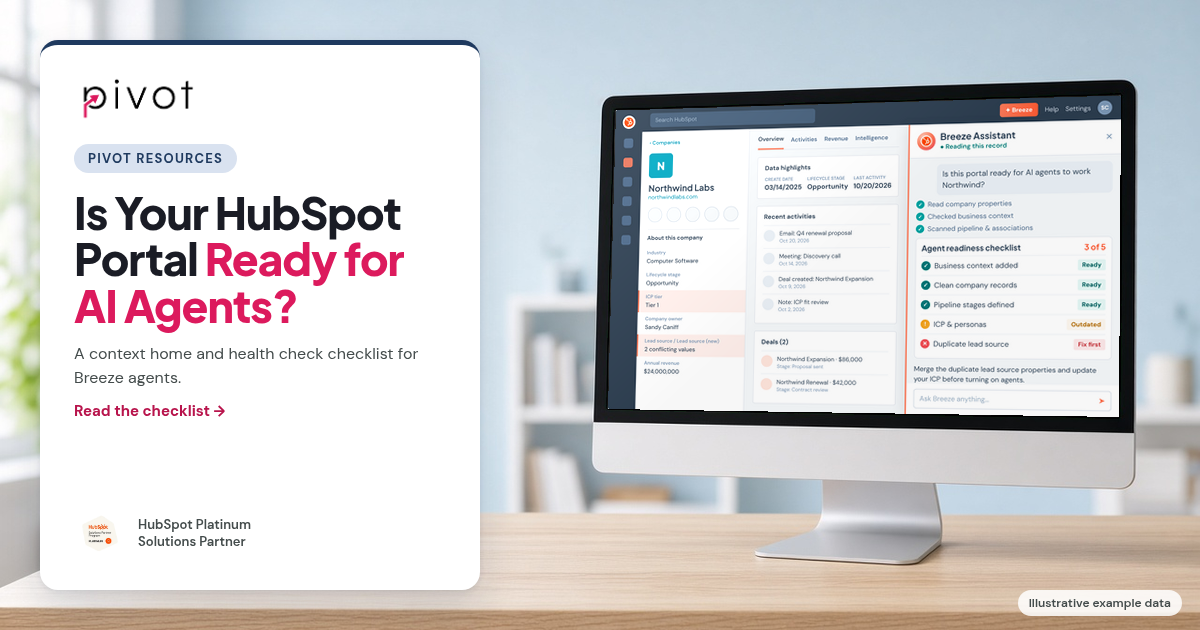
HubSpot made agents the center of its fall release at UNBOUND 2026. Breeze Assistant, Prospecting Agent, Customer Agent and custom agents are now easy to switch on. What we see in real portals is that turning them on is the easy part. The agents don't fail loudly. They read whatever is in your portal, and if that's a five-year-old ICP, three versions of Lead Source and a pipeline nobody closes deals in, that's what they work from.
Below is the checklist we use at Pivot before we turn agents on for a client, in the order we work through it.
What does "agent-ready" actually mean?
We break it into two layers, and both have to be right:
- Context: what HubSpot's AI knows about your company. Your positioning, products and services, Ideal Customer Profiles (ICPs), personas, sales methodology and brand voice. This tells an agent how to think.
- Data: your objects, properties, associations, pipelines, lifecycle stages and records. This is what an agent acts on.
Most teams focus on one layer. Marketing fills in the brand and persona details, or ops cleans up properties, but rarely both. An agent with great context and messy data writes a well-toned email to the wrong person. An agent with clean data and thin context targets the right records with generic messaging. You need both.
What is Context Home, and how should you use it?
Context Home is where you manage what HubSpot's AI knows about your business. You find it under Agents > Agent Hub on the Context tab, and it's included in all HubSpot editions. It's organized into Business, Customers, Team & Processes, Personal, Custom and knowledge vault sections, and it gives you a completeness score with a list of gaps. Most sections need Super Admin or Partner Admin permission to edit, while every user can manage their own profile and email personalities. HubSpot's Manage AI context article has the full breakdown of each section.
Here's how we approach it:
- Treat the score as a to-do list, not a grade. The score measures how complete your context is, not whether it's correct. A portal can score well and still describe the customer you had three years ago.
- Settle your ICP before you type it in. The most common gap we find isn't a blank field. It's that marketing and sales define the ideal customer differently. Get them in a room, agree on one definition, then write it down.
- Write it like you're onboarding a new hire. If a new rep would read your sales methodology section and still not know how you qualify a deal, an agent won't either.
- Give it an owner. Context goes stale as your offer and market change. We have one person review it every quarter.
What is the data model health check, and what does it catch?
The data model health check scans your portal for structural problems across objects, properties, associations, pipelines and lifecycle stages. You find it under Data Management > Data Model on the Health tab. The scan runs automatically and can take up to 20 minutes. HubSpot's data model health check guide lists every issue type it looks for.
In the portals we audit, the flags that matter most for agents are:
- Similar properties. Lead Source, Lead Source (New) and Original Lead Source all holding slightly different data.
- Low fill rates. Fields like Industry or Company Size that are mostly empty, which makes ICP matching impossible.
- Pipelines with no closed stage or far too many stages, so nobody (human or agent) can tell where a deal really stands.
- Custom objects with no associations, usually left over from an old project or integration.
The mistake we see most often is archiving everything the health check flags in one pass. Before you archive or merge anything, check what depends on it: workflows, lists, reports, forms and integrations. The health check can show usage, but integrations often write to properties in ways that don't show up there. Also note your results before you re-run it, since a new scan replaces the old one.
How do messy portals break AI agents?
Here's how the problems we find most often show up once agents are involved:
| Portal problem | What an agent does with it |
|---|---|
| Two or three properties for the same thing | Reads whichever one it finds, so its answers don't match your reports |
| Key fields like Industry mostly empty | Can't score or segment against your ICP |
| Duplicate contacts and companies | Reaches out twice or splits a customer's history across records |
| A pipeline with no closed stage | Can't tell won or lost deals from open ones |
| An integration overwriting fields | Works from data that changes under it |
| Lifecycle stages used differently by each team | Treats customers like leads, or leads like customers |
The health check catches some of these. Duplicates and integrations need their own review. If your data came from another CRM, the problems are often baked in from the migration. We cover how to prevent that in our Salesforce to HubSpot migration guide.
The HubSpot agent readiness checklist
This is the order we work in. Each step makes the next one easier, and fixing data before context (or testing before either) usually means doing work twice.
1. Get a baseline
- Note your Context Home score and the gaps it lists.
- Run the data model health check and record the issue counts.
- List the agents you plan to use and the records and properties each one will read. A Customer Agent and a Prospecting Agent lean on very different parts of the portal.
2. Fix the context
- Business: confirm your products, services, positioning and brand kit are current.
- Customers: write one agreed ICP and the personas you actually sell to.
- Team & Processes: add your sales methodology and qualification criteria.
- Assign an owner for a quarterly review.
3. Fix the data model
- Merge similar properties. Pick one, move the data into it, update anything that references the old one, then archive it.
- Decide on low-fill properties. Make them required where they matter or archive them. Don't leave them half-used.
- Fix pipelines so every one has clear stages and a closed won and closed lost.
- Standardize lifecycle stages so every team uses them the same way.
- Merge duplicates, starting with your highest-value companies and open deals.
If this list looks long, our guide on how to clean up a messy HubSpot portal goes deeper on each step.
4. Check your integrations
- Confirm which system owns each field an integration writes to, and stop two systems from writing to the same one. We explain why this matters in Why Custom CRM Integrations Break HubSpot Reporting.
- Look for legacy private apps while you're in there. Creating new legacy private apps ends October 26, 2026, and existing ones need a migration plan. See HubSpot Legacy Private Apps Are Going Away.
5. Test before you trust
- Ask five to ten questions you already know the answers to: who your ICP is, what a specific customer bought, where a named deal stands.
- Trace every wrong answer back to the context or record it came from, and fix it at the source rather than correcting the agent's output.
- Re-run the health check and recheck your context score after fixes.
- Roll out one agent at a time, starting with internal use before anything faces customers.
How long does it take to get a portal agent-ready?
It depends on the portal. Context is mostly a writing exercise, so a team that already agrees on its ICP and process can make real progress in a single working session. Data cleanup takes longer, because every property you merge or archive needs a dependency check first. In our experience, portals that have grown for years without a clear owner, or that came over from another CRM, need a structured cleanup rather than a quick pass. That's not a reason to wait. Fixing the fields your first agent relies on is enough to start.
When should you bring in a HubSpot partner?
We'd suggest outside help if:
- the health check flags more issues than your team has time to work through
- nobody knows what depends on the properties and objects it flags
- you're consolidating more than one CRM or portal
- agents are already live and giving inconsistent answers
Pivot is a HubSpot Platinum Solutions Partner. We clean up and consolidate portals and then set up Breeze agents on top of them, so the agents work from data you trust. See our HubSpot AI enablement and CRM consolidation services. If you're comparing partners, here's how to choose a HubSpot partner.
Frequently asked questions
Is Context Home free in HubSpot?
Yes. Context Home is included in all HubSpot editions. In Starter, Professional and Enterprise, you reach it through Agent Hub.
Who can edit Context Home?
Most context needs Super Admin or Partner Admin permission. Any user can update their own profile and email personalities.
Where is the data model health check?
Go to Data Management > Data Model and open the Health tab. The scan starts automatically and can take up to 20 minutes.
Does a high Context Home score mean my portal is ready?
No. The score measures how complete your context is, not whether it's accurate or whether your CRM data is clean. You still need to fix the data model, merge duplicates and test agents against answers you know.
What should we fix first?
Start with the context and the fields your first agent will read. You don't need a perfect portal to launch an agent, but you do need the records it touches to be right.
How often should we review agent readiness?
We recommend reviewing context quarterly and re-running the health check after any significant data model change, such as a new integration, object or pipeline.
Want to know where your portal stands before you turn agents on? Get a free Portal Health Score from 0 to 100 with Pivot Instant Audit. It connects to HubSpot read-only and takes about two minutes. Or talk to Pivot about getting your portal agent-ready.
