
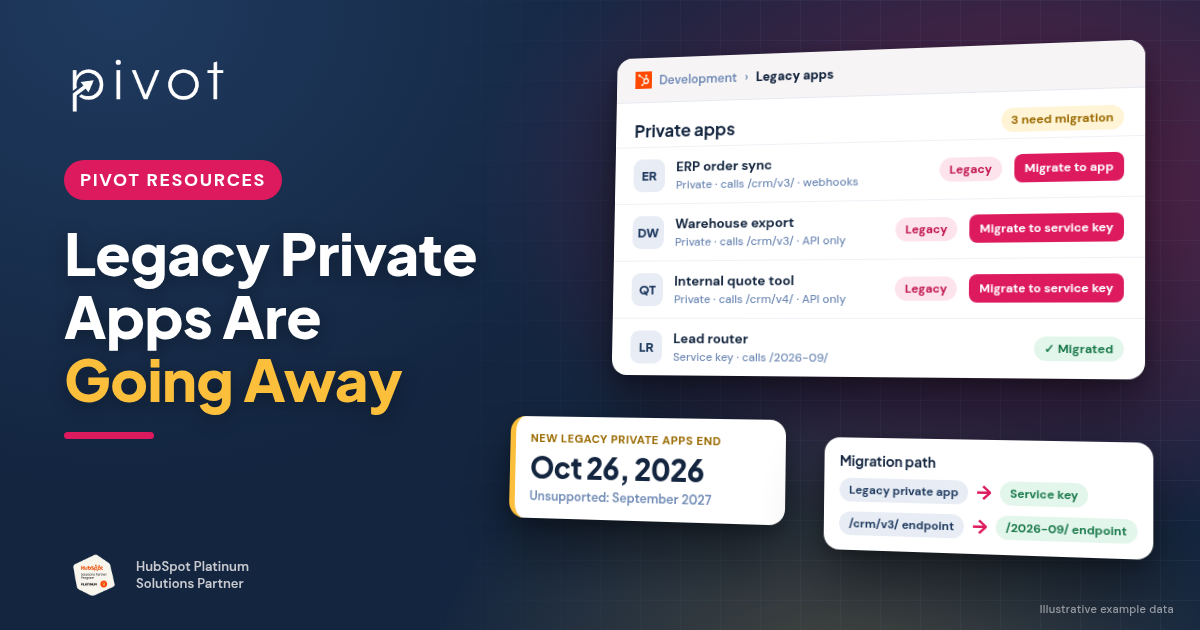
Short answer: HubSpot is retiring its legacy app model. Starting October 26, 2026, existing HubSpot accounts can no longer create new legacy private apps. In September 2027, v1–v3 APIs, legacy public apps and legacy private apps all become unsupported, and v4 APIs lose support earlier, on March 30, 2027. Your current integrations aren't switched off on October 26. But anything built on a legacy private app or a numbered API version (/v1/ to /v4/) needs a migration plan: to a service key, a Projects-based app, and date-based API versions. Start by finding out what you have.
HubSpot announced these changes at its Fall 2026 Spotlight. They're documented in the developer changelog: Legacy APIs and Apps: What's Going Unsupported and When. If you connect HubSpot to an ERP like NetSuite, a data warehouse or internal tools through custom code, this affects you.
What exactly is changing, and when?
HubSpot made three announcements that share one enforcement date:
- API versions v1–v3 are going unsupported. Endpoints with /v1/, /v2/ or /v3/ in the path will stop getting bug fixes, reliability improvements and security updates. They become unsupported after September 2027.
- Legacy public apps are going unsupported. Public apps created before June 23, 2026 use HubSpot's older, pre-Projects architecture and need to move to the Projects-based model.
- Legacy private apps must migrate. Private apps built before the Projects-based private app model must move to Projects-based private apps by September 2027.
Separately, v4 APIs (for example /crm/v4/) become unsupported in March 2027, with HubSpot recommending migration before March 30, 2027.
| Date | What happens |
|---|---|
| September 15, 2026 | Changes announced; 12-month migration window opens |
| September 28, 2026 | Legacy private app creation ends for new HubSpot accounts |
| October 26, 2026 | Legacy private app creation ends for existing accounts |
| March 30, 2027 | v4 APIs lose support |
| March 2027 | Apps on Projects 2025.2 or older need to be on the current platform version |
| September 2027 | v1–v3 APIs, legacy public apps and legacy private apps become unsupported (HubSpot hasn't announced an exact day) |
What still works after October 26?
Your existing legacy private apps and the integrations that use them keep running after October 26. HubSpot's change on that date stops you creating new legacy private apps. The enforcement date for existing ones is September 2027. HubSpot's announcement doesn't say whether existing legacy private apps can still be edited or re-scoped after October 26, so don't count on making major changes to them. Plan those changes as part of the migration.
"Unsupported" may not mean "switched off" on day one, but don't plan around that. HubSpot's v4 notice says unsupported versions "may continue to function for some period of time, but they are not guaranteed to remain stable or available." Treat September 2027 as a hard deadline.
What are service keys?
A service key is a scoped credential for calling HubSpot's REST APIs from your own account without building a full app. HubSpot positions service keys as the replacement for legacy private apps and recommends them for new lightweight integrations, internal tools and AI agent integrations. According to HubSpot's documentation:
- Super admins and users with the Developer tools permission can create them. Depending on your account, look under Development > Keys > Service keys (HubSpot's documentation) or Settings > Integrations > Service Keys (the Fall 2026 changelog).
- Each key has object-specific scopes, request logs and key rotation. HubSpot recommends rotating keys every six months.
- Service keys can only make REST API requests. They can't authenticate webhooks, make calls inside UI extensions or use other developer platform features. For those, you need a Projects-based app.
HubSpot's Fall 2026 developer rollup lists service keys as public beta, while the breaking-change notice describes them as "now available." Check their status in your account before relying on them for a production integration.
Which migration path fits your integration?
- A script or service that only reads and writes HubSpot data through the API (a nightly ERP sync, a warehouse export, an internal tool): a service key is likely the simplest path.
- An integration that needs webhooks, UI extensions, app cards or serverless functions: migrate to a Projects-based private app on the current developer platform version. HubSpot's Fall 2026 rollup announced version 2026.09 as generally available, while its app migration guide still describes migrating to 2026.03. Follow the guide's steps and target the latest version available when you migrate.
- A public or marketplace app you use from a vendor: the vendor has to migrate it. Ask them for their timeline.
Whichever path you choose, update the API calls too. HubSpot says to migrate legacy endpoints directly to date-based versions (for example /crm/objects/2026-09/contacts instead of /crm/v3/objects/contacts), not to v3 or v4 as a stopping point. See the legacy API migration guide. Switching the credential while still calling /v3/ endpoints only solves half the problem.
How do you find which legacy apps and API versions you use?
HubSpot gives you three places to look:
- Migrations tab: in HubSpot, go to Development > Migrations > APIs. It summarizes recent calls to legacy APIs. HubSpot detects these from runtime calls, not your source code, so an old script that still runs will show up even if the main codebase was updated.
- Legacy apps list: go to Development > Legacy apps and filter by app type to see your legacy public and private apps and whether each is on the Projects framework.
- Developer home tasks card: since September 15 it shows how many of your apps use APIs that are becoming unsupported.
Then match what HubSpot shows against your own records: which systems call HubSpot, who built them and where the code lives.
The legacy app audit and migration checklist
Before October 26, 2026
- List every custom integration: ERP/NetSuite syncs, warehouse pipelines, internal tools, middleware, scripts and AI tools.
- Check the Legacy apps list and the Migrations tab and match each app and flagged API to an integration and an owner.
- Plan any new private integration on service keys or a Projects-based app, since new legacy private apps end October 26.
- Record each legacy app's scopes and token location.
Before March 2027
- Migrate any v4 API calls to date-based versions (v4 support ends March 30, 2027).
- Move Projects-based apps on 2025.2 or older to the current platform version.
- Choose a path for each legacy private app: service key (API-only) or Projects-based private app (webhooks, UI extensions, functions).
Before September 2027
- Migrate v1–v3 calls to date-based endpoints. Check whether request and response shapes changed, not just the URL. HubSpot notes some older v1/v2 endpoints don't yet have exact date-based equivalents, and that full per-endpoint replacement documentation will come with the March 2027 release.
- Test in a non-production account before switching production.
- Confirm vendor timelines for any marketplace apps you rely on.
- Retire the legacy apps and old tokens once each migration is verified.
How could this break reporting and data sync?
Migrations are where integrations quietly break. A service key missing a scope makes writes fail. A changed response shape stops a field updating. An old token still running means two processes write the same data. None of these show up as a dashboard error. They show up as reports that slowly drift from Finance.
That's the same pattern we covered in Why Custom CRM Integrations Break HubSpot Reporting. Use the migration to fix it, not just to swap credentials:
- Confirm which system owns each field.
- Keep the matching key between HubSpot and your ERP.
- Add logging and alerts for failed syncs.
- Compare key report totals before and after cutover.
When should you bring in a HubSpot integration partner?
Bring in a partner if:
- you have several custom integrations and no in-house HubSpot developer
- the original builder is gone
- an integration feeds revenue or ERP reporting
- the Migrations tab flags endpoints you can't map
Pivot builds and maintains custom HubSpot integrations with ERPs, data warehouses and internal systems. See our HubSpot integrations work, or how we scope fixed-price NetSuite, QuickBooks and ERP integrations.
Frequently asked questions
Will my HubSpot private app stop working on October 26, 2026?
No. October 26 is when existing accounts can no longer create new legacy private apps. Existing legacy private apps have until September 2027 to migrate.
What replaces legacy private apps in HubSpot?
Service keys, for integrations that only call HubSpot's REST APIs, or Projects-based private apps if you need webhooks, UI extensions or other developer platform features.
Can service keys receive webhooks?
No. According to HubSpot's documentation, service keys can't authenticate webhooks or make calls within UI extensions. Use a Projects-based app for those.
Are HubSpot's v3 APIs being deprecated?
Yes. v1–v3 APIs become unsupported in September 2027. HubSpot recommends migrating directly to date-based versions such as 2026-09.
How do I know if my integrations use legacy APIs?
Check Development > Migrations > APIs in your HubSpot account. It flags legacy API calls detected at runtime.
Not sure which of your integrations are affected? Talk to Pivot about a HubSpot integration review.